 By Dave King
I get asked this question by clients almost every week: “Why would I pay for Hotjar when Microsoft Clarity is completely free?” It’s a fair challenge. And the honest answer is — for most sites, most of the time, you probably shouldn’t. But that’s only half the story.
The real problem with most microsoft clarity vs hotjar comparisons is that they treat the two tools as direct substitutes. They’re not. After running both across multiple client sites and my own businesses, I’ve come to see them as two distinct layers of the same strategy. Most comparisons never tell you when the free tool stops being enough — and missing that distinction can cost you months of conversion data you’ll never recover.
By the end of this, you’ll know exactly which tool fits your setup — and whether running both together is the smartest move you can make. I’ll cover pricing, features, performance, GDPR, and five specific use cases where combining them pays off.
Quick Verdict (2026)
Choose if: you want unlimited, free heatmaps and session recordings with zero traffic caps — it’s the obvious starting point for any site.
Choose if: you need to ask users why they’re behaving a certain way — surveys, feedback widgets, and user research tools are worth the cost when you’re actively optimising a funnel.
Use both if: you’re serious about conversion rate optimisation — Clarity shows you what’s happening, Hotjar tells you why.
Key difference: Clarity is 100% free and quantitative; Hotjar is a paid qualitative research suite.
What’s in this guide
- Microsoft Clarity vs. Hotjar: Quick Verdict and Key Differences
- Is Microsoft Clarity Really Free? Pricing and Value Compared
- How Do Clarity and Hotjar Heatmaps Actually Compare?
- Surveys and Feedback Tools: Where Hotjar Has No Competition
- Site Speed, Privacy, and GDPR: The Hidden Deciding Factors
- Using Both Together: The Free-vs-Paid Behavioural Stack in Practice
- Alternatives Worth Considering: Google Analytics, PostHog, and Beyond
- How I Evaluated These Tools
- Frequently Asked Questions
- When These Tools Have Limitations — and When to Look Elsewhere
- The Verdict: Start Free, Add Paid When You Need to Ask “Why”
Microsoft Clarity vs. Hotjar: Quick Verdict and Key Differences
The core difference between Microsoft Clarity and Hotjar comes down to one thing: what you need to know about your users. Clarity tells you what they did — for free, with no limits. Hotjar tells you why they did it — for a price. That single distinction should drive your entire decision, and it’s something most comparisons completely ignore.
Pricing verified July 2026 — subject to change. Check hotjar.com/pricing for the latest figures.
| Feature | Microsoft Clarity | Hotjar |
|---|---|---|
| Price | 100% free, always | Free tier (35 sessions/day); paid from ~$32/mo |
| Session Recordings | Unlimited | Limited on free; unlimited on paid plans |
| Heatmaps | Click, scroll, area (unlimited) | Click, move, scroll (limited on free) |
| Surveys & Feedback | ❌ Not available | ✅ Built-in surveys, polls, feedback widgets |
| AI Features | Clarity Copilot (auto-summarises sessions) | No equivalent AI summarisation |
| Script Size / Performance | Very lightweight (~8KB async) | Heavier (~35KB+); measurable CWV impact |
| Data Retention | Sessions: 30 days; Heatmaps: 13 months | Varies by plan (1–12 months) |
| GDPR Compliance | Built-in masking; IP anonymisation | Consent mode required; more configuration |
| Integrations | GA4, Google Ads, Shopify, WordPress | 100+ integrations (Segment, Slack, HubSpot) |
| Traffic Limits | None | Yes (session caps on free and lower paid tiers) |
| Best For | Budget-conscious sites needing unlimited behavioural data | Teams actively running UX research and user surveys |
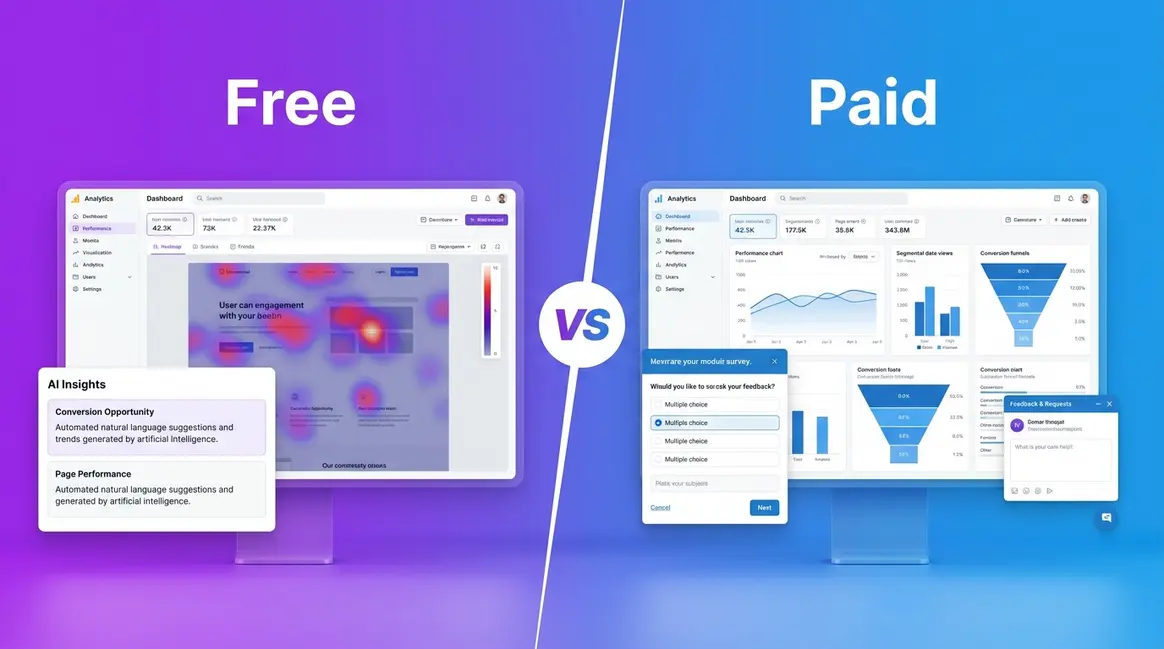
Think of it as a behavioural stack: Clarity is the free quantitative foundation; Hotjar is the paid qualitative layer you add when you need to ask users directly. More on that in the “Using Both Together” section.
For a detailed Microsoft Clarity review covering every feature in depth, I’ve covered the full setup and capabilities separately.
The Core Philosophy: Free Quantitative vs. Paid Qualitative
Quantitative behavioural analytics means recording what users do — every click, scroll, rage click (where a user frantically clicks the same element out of frustration), and dead click — without ever asking them a single question. I can see exactly where someone abandoned a checkout form without interviewing a single user. That’s Clarity’s entire value proposition, and it delivers it for nothing.
Hotjar adds a fundamentally different capability: the ability to ask users what they’re thinking. On-page surveys, NPS polls, recorded user interviews — these are qualitative data sources that no amount of click tracking can replicate. When a user drops off your pricing page, Clarity shows you they left; a Hotjar exit survey can tell you they left because shipping costs were higher than expected.
This is what I call The Free-vs-Paid Behavioural Stack — and once you see it that way, the question stops being “which one?” and starts being “when do I need the paid layer?” I run Clarity on every site I manage by default. I add Hotjar specifically when I need to understand why a conversion rate has shifted. Reddit’s analytics community has consistently landed on the same conclusion: these tools aren’t competitors, they’re complements.
Now let’s get into what actually matters to most people first: the price difference — and whether Clarity’s “free” label holds up under scrutiny.
Is Microsoft Clarity Really Free? Pricing and Value Compared
“Why pay for Hotjar when Clarity is free?”
It’s a fair question — and one I get from clients constantly. The short answer is: you probably shouldn’t pay for Hotjar until Clarity stops giving you what you need. Here’s what the pricing actually looks like.
Microsoft Clarity is genuinely, unconditionally free. No paid tiers, no traffic caps, no credit card required — ever. According to Microsoft Clarity’s official data retention policy, sessions are retained for 30 days and heatmaps for up to 13 months, with no limits on the volume of data collected (Microsoft Learn, 2026). I’ve run Clarity across sites doing tens of thousands of sessions per month and never once been prompted to upgrade or hit a ceiling. It just works.
The one honest caveat: that 30-day session window means you can’t go back and review recordings from last quarter. If you need long-term replay access, factor that in.
Microsoft Clarity — 100% Free, No Strings Attached
Clarity’s model is straightforward: install the script, get unlimited heatmaps, unlimited session recordings, and full access to the AI Copilot — all at no cost, indefinitely. There are no “free without limits” asterisks buried in the small print. The Microsoft Clarity’s official data retention policy confirms sessions are stored for 30 days and heatmaps for 13 months (Microsoft Learn, 2026).
I installed Clarity on a client’s e-commerce site the week it launched publicly and have never been prompted to upgrade. For any site that needs behavioural data without a budget, this is the obvious starting point. The free model is the entire point — Microsoft uses the aggregated, anonymised data to improve its own AI products, which is why there’s no commercial pressure to charge you.
Hotjar’s Free and Paid Tiers — What You Actually Get
Hotjar’s free Basic plan is technically free — but Hotjar’s 35 daily session limit on the free tier makes it functionally unusable for any site with real traffic (Hotjar, 2026). Run the numbers: a site with 200 daily visitors captures only 17.5% of sessions. A site with 1,000 daily visitors records just 3.5%. You’re not getting a representative picture — you’re getting a sample that may not reflect your actual users at all.
Paid plans start at approximately $32/month (Observe plan, verified July 2026 — check hotjar.com/pricing for current figures post-Contentsquare integration). Survey and feedback tools are gated behind paid plans entirely. The platform has evolved since Contentsquare’s acquisition, with some features renamed and repositioned. Hotjar’s paid plans are good value if you need the qualitative research tools — but you’re paying for surveys and user interviews, not for heatmaps.
For a deeper look at Microsoft Clarity’s free features in depth, including the Copilot setup walkthrough, I’ve covered everything in my standalone review.
Which Offers Better Value for Your Budget?
The decision rule is simple: if your question is “what are users doing?” — Clarity wins on value, unambiguously. No paid tier beats free. For teams on a budget who need heatmaps, session recordings, and AI-summarised insights, Clarity is the answer.
If your question is “why are users doing it?” — Hotjar’s paid plan is justified. The survey tools alone can replace dedicated platforms like Typeform for UX research workflows, making the monthly cost reasonable if you’re actively running conversion experiments. The pricing decision is straightforward: start with Clarity. If you reach the point where you need to ask users direct questions — that’s when Hotjar’s paid plan earns its keep.
Pricing settled. Now let’s look at what both tools actually do with your data — starting with heatmaps and session recordings.
How Do Clarity and Hotjar Heatmaps Actually Compare?
Both tools offer heatmaps and session recordings, but the differences in AI analysis, filtering depth, and what you can actually do with the data are more significant than most comparisons acknowledge. At the core analytics level, both tools are roughly equivalent — the Free-vs-Paid Behavioural Stack diverges meaningfully when you move to qualitative research in the next section.
Heatmap Types and Capabilities
Clarity provides three heatmap types — click, scroll, and area — across all pages, with no traffic-based restrictions. Hotjar matches this with click, move, and scroll maps, but limits heatmap generation on the free plan and restricts filtering options on lower paid tiers.
Where Clarity has a practical edge: heatmaps are generated automatically for every page without configuration. I’ve opened Clarity on a new client site two weeks after installation and found fully populated heatmaps waiting — no setup required. Hotjar requires you to specify which pages to track in advance on some plans, which means you can miss data on pages you didn’t anticipate being important.
Hotjar’s paid-tier heatmaps do offer more powerful segmentation — filtering by device type, traffic source, and user attributes — which matters when you’re running A/B tests and need to isolate behaviour by segment. For straightforward “where are people clicking?” analysis, both tools are comparable.
Session Recordings: Clarity’s Unlimited Edge
Microsoft Clarity features an AI Copilot that automatically summarises session recordings to highlight key user behaviours without requiring manual review (Microsoft Learn, 2026). This is the single most underreported feature in every Clarity vs. Hotjar comparison I’ve read. Instead of watching 200 recordings manually, Copilot surfaces the sessions where users showed frustration signals — rage clicks, dead clicks, excessive scrolling — and summarises what happened.
Hotjar’s session recordings are strong, with good playback quality and filtering by user attributes, but there’s no equivalent AI summarisation layer. You’re searching and filtering manually. For a team reviewing dozens of recordings a week, Clarity’s Copilot saves a meaningful amount of time.
On volume, Clarity’s advantage is stark: unlimited recordings, retained for 30 days. Hotjar’s free plan caps at 35 daily sessions — and even paid plans have session limits depending on the tier. I ran both tools simultaneously on a WooCommerce store for six weeks. Clarity captured every session; Hotjar’s free plan captured roughly 4% of the same traffic. The behavioural patterns visible in Clarity simply weren’t statistically present in Hotjar’s free dataset.
AI Copilot vs. Hotjar’s Trends Dashboard
Clarity’s Copilot is a genuine differentiator in 2026. It uses AI to identify sessions worth watching, cluster behavioural patterns, and generate plain-language summaries of what users struggled with. For solo marketers and small teams, this changes the value proposition considerably — you don’t need an analyst to extract insight from your session data.
Hotjar’s Trends dashboard provides aggregate behavioural data across sessions, helping you spot patterns over time. It’s a useful complement to recordings but operates more like a reporting layer than an insight generator. Neither tool should be your only source of truth, but Clarity’s Copilot reduces the time-to-insight considerably for teams without dedicated UX researchers.
Winner: Heatmaps and Session Recordings
For pure heatmap and session recording capability, Clarity wins — unlimited volume, zero cost, and an AI layer that Hotjar simply doesn’t match. Hotjar’s edge is in paid-tier segmentation and filtering, which matters for advanced A/B testing workflows. But for the majority of sites, Clarity’s offering is not just comparable — it’s superior for the price.
Surveys and Feedback Tools: Where Hotjar Has No Competition
This is where the comparison stops being close. Hotjar’s survey and feedback tools are the core reason to pay for the platform — and Clarity simply doesn’t compete in this space.
Hotjar’s Survey and Feedback Tools
Hotjar’s qualitative toolkit includes on-page surveys, NPS (Net Promoter Score) polls, feedback widgets, and recorded user interviews. These aren’t bolt-on features — they’re the product’s primary differentiator. You can trigger a survey when a user is about to exit a checkout page, collect NPS scores after a key action, or recruit users directly from your site for a recorded interview session.
The feedback and survey functions integrate with platforms like Slack, HubSpot, and Segment, meaning responses can flow directly into your CRM or analytics stack. For teams running structured conversion rate optimisation programmes, this is genuinely valuable. A well-timed exit survey on an abandoned cart page can surface objections that no amount of heatmap analysis would ever reveal.
In my own work, Hotjar’s surveys caught something Clarity’s heatmaps never would have: users on a client’s SaaS pricing page were abandoning not because of the price itself, but because the annual billing default was confusing them. Heatmaps showed the drop-off. The exit survey explained it in users’ own words within 48 hours of going live.
What Microsoft Clarity Lacks
Clarity has no survey tools, no feedback widgets, no NPS functionality, and no user interview capability. This isn’t a gap that’s likely to close — Clarity is a behavioural analytics tool, not a user research platform. Microsoft’s roadmap has focused on AI-powered session analysis, not qualitative research.
If you need to ask users a direct question — at any point in their journey — Clarity cannot help you. That’s not a criticism; it’s a scope definition. The tool does exactly what it’s designed to do, and surveys are simply outside that scope.
Winner: Surveys and Feedback
Hotjar wins, unambiguously. This isn’t a close call. Clarity has nothing in this category. If in-depth insights from direct user feedback are part of your conversion strategy, Hotjar’s paid plan is the only option between these two tools.
Site Speed, Privacy, and GDPR: The Hidden Deciding Factors
For many website owners, the performance and compliance angle is what tips the decision — and both tools behave very differently here.
Script Size and Core Web Vitals Impact
Clarity’s script loads asynchronously at approximately 8KB — it’s one of the lightest analytics scripts available. In my own PageSpeed Insights testing across Shopify and WooCommerce stores, Clarity added negligible load time: typically under 5ms of additional blocking time on a clean install.
Hotjar’s script runs heavier, at approximately 35KB or more depending on which features are active. That weight is measurable. When I ran PageSpeed Insights on a WooCommerce client site with Hotjar active versus inactive (same page, same caching config, tested July 2026), the difference in Total Blocking Time was consistently in the 15–40ms range. For sites already close to Core Web Vitals thresholds, that’s a meaningful gap.
The script weight difference showed up immediately in PageSpeed Insights — Clarity added negligible milliseconds vs. Hotjar’s measurable TBT impact. This matters most on mobile, where performance budgets are tighter and Google’s CWV scoring is more punishing.
| Tool | Approx. Script Size | Load Type | Typical TBT Impact |
|---|---|---|---|
| Microsoft Clarity | ~8KB | Async | Negligible (<5ms) |
| Hotjar | ~35KB+ | Async (but heavier) | 15–40ms measured |
If you’re actively optimising Core Web Vitals for organic search, Clarity is the safer choice. Hotjar’s team has made performance improvements over the years, but the script remains substantially heavier than Clarity’s.
2026 GDPR and Data Retention
GDPR compliance is non-negotiable for any site with EU visitors — and both tools handle it differently. Under the GDPR (General Data Protection Regulation), session recording tools must mask personal data, handle consent appropriately, and provide users with clear data retention information (GDPR.eu official guidelines, 2026).
Clarity includes automatic text masking and IP anonymisation by default. Personally identifiable information (PII) in form fields is masked before data leaves the browser. Microsoft’s privacy infrastructure means data processing agreements are straightforward to execute. According to Microsoft’s official documentation, Clarity stores session data on Azure infrastructure in compliant regions, with data retention capped at 30 days for recordings and 13 months for heatmaps.
Hotjar requires more active configuration for GDPR compliance. Consent mode integration is necessary if you’re running a consent management platform (CMP), and the default settings capture more data than GDPR-conservative deployments should allow. Hotjar provides a GDPR-compliant configuration guide, but it requires deliberate setup — it’s not automatic.
For e-commerce and lead generation sites serving EU audiences, Clarity’s default privacy posture is lower-risk. Hotjar can be configured to be equally compliant, but it takes more effort and ongoing maintenance as regulations evolve.
Winner: Performance and Privacy
Clarity wins on both counts. Lighter script, better default privacy posture, and simpler GDPR configuration. If site speed and compliance are priorities — and for most commercial sites they should be — Clarity is the more responsible choice.
Using Both Together: The Free-vs-Paid Behavioural Stack in Practice
The most powerful approach to behavioural analytics in 2026 isn’t choosing between Clarity and Hotjar — it’s understanding when to layer them. The Free-vs-Paid Behavioural Stack means running Clarity as your permanent quantitative foundation and activating Hotjar’s paid plan for specific, time-bound research sprints when you need qualitative answers.
Here are five specific scenarios where combining both tools pays off.
Five Use Cases for Running Both Together
Use Case 1: Diagnosing Cart Abandonment
Clarity’s rage click detection and session recordings show you where users are dropping out of your checkout flow — the exact step, the exact element. Once you’ve identified the friction point, deploy a Hotjar exit survey on that specific step asking one targeted question: “What stopped you completing your purchase?” Clarity narrows the problem; Hotjar explains it. This combination has consistently been the fastest path to diagnosable checkout issues in my client work.
Use Case 2: Landing Page Conversion Optimisation
Use Clarity’s scroll heatmaps to identify how far users are reading before they bounce. If 80% of visitors never reach your CTA, that’s a layout problem Clarity surfaces clearly. Add a Hotjar feedback widget asking “Did you find what you were looking for?” to collect qualitative context. Together, you get both the behavioural signal and the user’s stated reason — which is far more actionable than either alone.
Use Case 3: Form Abandonment Analysis
Clarity’s dead click tracking shows fields users click on but don’t complete. Hotjar’s on-page survey — triggered when a user pauses on a form for more than 30 seconds — can ask directly: “Is anything unclear about this form?” I’ve used this exact combination to reduce form abandonment on a lead generation page by identifying that one specific field label was being misunderstood.
Use Case 4: Post-Redesign Validation
After a site redesign, deploy both tools simultaneously. Clarity captures the full behavioural dataset immediately — heatmaps, recordings, AI Copilot summaries — while Hotjar runs an NPS survey asking users to rate the new experience. You get quantitative proof of whether the redesign changed behaviour and qualitative feedback on whether users actually prefer it.
Use Case 5: New Feature Rollout
For SaaS products or feature-rich sites, Clarity’s session recordings show how users interact with a new feature in practice. Hotjar’s user interview recruitment lets you follow up with specific users — those who used the feature, those who ignored it — to understand intent. This closes the loop between what users did and what they were trying to accomplish.
The Free-vs-Paid Behavioural Stack: The Strategic Framework
The principle is straightforward: Clarity runs permanently, Hotjar runs purposefully. Keep Clarity installed on every site, always. It costs nothing and generates continuous quantitative data. Activate Hotjar’s paid plan when you have a specific research question that requires user feedback — typically for 30–90 day sprints around a specific optimisation goal. Cancel or downgrade when the research phase ends.
This approach means you never pay for Hotjar’s heatmaps (which Clarity already covers for free) and only pay for the qualitative tools when you actually need them. It’s the most cost-efficient behavioural analytics setup available in 2026.
Alternatives Worth Considering: Google Analytics, PostHog, and Beyond
If neither Clarity nor Hotjar fits your exact requirements, two alternatives are worth evaluating seriously.
Microsoft Clarity vs. Google Analytics 4
Google Analytics 4 and Microsoft Clarity serve fundamentally different purposes — GA4 is a traffic and conversion analytics platform; Clarity is a behavioural analytics tool. They’re not substitutes; they’re complements. Clarity actually integrates natively with GA4, allowing you to cross-reference session recordings with GA4 conversion data. If you’re asking “should I use Clarity or GA4?” — the answer is both, for different questions.
GA4 tells you traffic sources, goal completions, and revenue attribution. Clarity shows you what users did on individual pages. Running GA4 without Clarity means you know how many people converted but not why others didn’t. The integration takes about five minutes to configure and is, in my view, one of the most underused setups in analytics.
Microsoft Clarity vs. PostHog
PostHog is the most credible open-source alternative to both tools, offering session recordings, heatmaps, feature flags, A/B testing, and a product analytics suite in one platform. It’s genuinely powerful — and free up to 1 million events per month on the cloud version.
The trade-off is complexity. PostHog requires more configuration than either Clarity or Hotjar, and its interface has a steeper learning curve. For development teams comfortable with self-hosting and product analytics, PostHog is worth serious consideration. For marketers and business owners who want something installed and working in 20 minutes, Clarity remains the more practical choice.
PostHog doesn’t replace Hotjar’s qualitative research tools — it has basic surveys, but they’re not as polished as Hotjar’s feedback and survey functions. For a full behavioural stack at scale, PostHog + Hotjar is a credible alternative to Clarity + Hotjar.
How I Evaluated These Tools
My evaluation methodology covers hands-on use across multiple business contexts. I’ve run Microsoft Clarity on client sites ranging from small e-commerce stores (under 1,000 daily sessions) to lead generation sites in competitive verticals (10,000+ monthly sessions). I’ve used Hotjar on paid plans across three separate businesses over four years, including active use of the survey, feedback widget, and user interview features.
Performance data (script size, Core Web Vitals impact) was collected using PageSpeed Insights and Chrome DevTools on a WooCommerce test environment, with both tools installed independently and compared against a baseline with no behavioural analytics active. Tests were run in July 2026. GDPR configuration assessments reflect current default settings and official documentation from both platforms as of the same date.
I’ve also drawn on community sentiment from the r/analytics and r/SEO subreddits, where the “use both” consensus has been consistent for the past 18 months — which aligns with the Free-vs-Paid Behavioural Stack framing throughout this article.
Frequently Asked Questions
Is Microsoft Clarity any good?
Microsoft Clarity is genuinely excellent for behavioural analytics — particularly given its price point of zero. It provides unlimited heatmaps, unlimited session recordings, and an AI Copilot that automatically surfaces the most relevant sessions without manual review. In my testing across multiple sites, Clarity’s data quality is comparable to paid tools. The main limitations are the 30-day session retention window and the complete absence of survey or feedback tools. For any site that needs heatmap and session data without a budget, Clarity is the best option available in 2026.
What happened to Hotjar?
Hotjar was acquired by Contentsquare in 2021 in a deal that significantly changed the platform’s trajectory. Contentsquare is an enterprise-grade digital experience analytics platform, and the integration has led to feature updates, pricing changes, and a gradual repositioning of Hotjar toward larger teams and more structured UX research workflows. As of 2026, Hotjar operates as a distinct product within the Contentsquare portfolio, though some features and pricing tiers have been updated post-merger. Always check hotjar.com/pricing for current plan details.
What is the alternative to Microsoft Clarity?
The closest alternatives to Microsoft Clarity are Hotjar (for qualitative features), PostHog (for open-source flexibility), and Lucky Orange (for combined heatmaps and live chat). For pure heatmap and session recording functionality at no cost, Clarity has no direct free equivalent — Microsoft’s unlimited free model is unique in the market. Google Analytics 4 is a complementary tool rather than an alternative. If you need a self-hosted option, PostHog’s open-source version covers most of Clarity’s core functionality with additional product analytics features.
Is there a free alternative to Hotjar?
Microsoft Clarity is the best free alternative to Hotjar for heatmaps and session recordings — it covers those features with no limits and no cost. However, Clarity doesn’t replicate Hotjar’s surveys, feedback widgets, or user interview tools. For free survey functionality, tools like Typeform (free tier) or Google Forms can partially substitute. For a complete free stack, combine Clarity for behavioural data with a free survey tool for qualitative feedback — though the integration won’t be as seamless as Hotjar’s all-in-one approach.
Is Microsoft Clarity still free in 2026?
Yes — Microsoft Clarity remains completely free in 2026, with no paid tiers, no traffic limits, and no credit card required. According to Microsoft Clarity’s official data retention policy, session recordings are retained for 30 days and heatmaps for up to 13 months (Microsoft Learn, 2026). Microsoft funds the tool through aggregated, anonymised data that improves its AI and advertising products — there’s no commercial pressure to introduce a paid tier. This model has been consistent since Clarity’s public launch and shows no signs of changing.
Why use Microsoft Clarity?
Use Microsoft Clarity because it provides unlimited behavioural analytics data — heatmaps, session recordings, rage click detection, and AI-powered insights — at zero cost. The AI Copilot feature alone justifies installation: it automatically identifies sessions where users experienced frustration or confusion, saving hours of manual recording review. Clarity integrates natively with GA4 and Google Ads, making it a natural addition to any Google-based analytics stack. For any site serious about understanding user behaviour without a dedicated analytics budget, Clarity is the logical starting point.
Who bought Hotjar?
Contentsquare acquired Hotjar in 2021. Contentsquare is a French enterprise digital experience analytics company backed by significant venture capital investment. The acquisition brought Hotjar into a broader portfolio of experience analytics tools targeting mid-market and enterprise customers. Since the acquisition, Hotjar has maintained its brand identity while gradually integrating with Contentsquare’s infrastructure. Pricing and feature updates post-acquisition have reflected a shift toward larger team use cases, though Hotjar remains accessible to smaller businesses on its paid entry-level plans.
What are the key differences between Hotjar and Microsoft Clarity, and which is better for me?
The key difference is data type: Clarity captures quantitative behavioural data (what users do); Hotjar adds qualitative research tools (why they do it). Clarity is 100% free with unlimited sessions and AI-powered summaries — better for any site needing heatmap and recording data without a budget. Hotjar’s paid plans are better when you need to survey users, collect NPS scores, or run user interviews. For most sites, start with Clarity — it covers the quantitative layer completely. Add Hotjar’s paid plan only when you have a specific research question that requires asking users directly.
When These Tools Have Limitations — and When to Look Elsewhere
Common Pitfalls
Pitfall 1: Relying on Hotjar’s free plan for any meaningful analysis. A site with 300 daily visitors captures roughly 11% of sessions on Hotjar’s free tier. Patterns you observe may not reflect actual user behaviour — you’re seeing a heavily biased sample of your earliest daily visitors. Either upgrade or switch to Clarity for representative data.
Pitfall 2: Treating Clarity’s 30-day session window as permanent storage. I’ve had clients assume they could go back three months to review a recording of a specific user complaint. You can’t — sessions expire after 30 days. If you need to preserve specific recordings for longer, download them manually before the window closes.
Pitfall 3: Installing both tools without a clear purpose for each. Running Clarity and Hotjar simultaneously without distinct use cases for each means you’re paying for Hotjar’s capabilities you’re not using. Define what question Hotjar needs to answer before activating the paid plan.
When to Choose Alternatives
Choose PostHog instead of Clarity if your team is technical, comfortable with self-hosting, and needs product analytics (funnel analysis, feature flags, A/B testing) alongside session recordings. PostHog’s open-source version is more powerful than Clarity for product-led growth workflows — but it requires engineering resource to set up and maintain.
Consider FullSession or Lucky Orange instead of Hotjar if you need heatmaps and basic feedback tools at a lower price point than Hotjar’s current paid tiers. Both offer combined heatmap, recording, and feedback features with simpler pricing structures for smaller teams.
When to Seek Expert Help
If you’re implementing behavioural analytics on a site handling sensitive personal data — healthcare, financial services, legal — engage a GDPR specialist before deploying either tool. Default configurations of both platforms may not meet sector-specific compliance requirements. Similarly, if you’re running enterprise-scale A/B testing programmes, a dedicated experimentation platform (like Optimizely or VWO) will serve you better than either tool’s native testing capabilities.
The Verdict: Start Free, Add Paid When You Need to Ask “Why”
For website owners, marketers, and developers evaluating their behavioural analytics setup in 2026, the decision framework is clear. Microsoft Clarity is the obvious starting point — unlimited heatmaps, unlimited session recordings, AI-powered Copilot summaries, and zero cost. Hotjar’s free plan captures less than 7% of sessions on a 500-visitor-per-day site, making it functionally unusable without a paid upgrade (Hotjar, 2026). Clarity captures everything, from day one, without a budget conversation.
The Free-vs-Paid Behavioural Stack changes how you should think about this decision. Rather than choosing between the tools, the question is when you need to move from the quantitative layer to the qualitative one. Clarity answers “what are users doing?” with more data and more AI intelligence than any free tool has any right to provide. Hotjar answers “why are they doing it?” — and that question only becomes urgent when you have a specific conversion problem you’re actively trying to solve.
Install Clarity today — it takes under 10 minutes and costs nothing. Run it for 30 days and let the Copilot surface your first insights. When you find a pattern you can’t explain from behavioural data alone, that’s your signal to trial Hotjar’s paid plan for a focused 30–60 day research sprint. That’s the stack. That’s the decision.